VS Code extension
The Raplify AI chat next to your code, your project commands, and the secure local bridge that pairs the browser.
The VS Code extension puts the Raplify AI chat next to your code, runs your project commands,
and hosts the bridge — the secure local server that issues the pairing token and lets the
browser open files in your editor. Requires v1.85+ and the Claude CLI on your machine.
What you get
Raplify chat view
The shared @raplify/ui chat surface in the activity bar — identical to the Chrome side
panel: lanes, queue, model + permission-mode selectors, image attach, history, tool cards.
Ask Raplify (inline / file)
Right-click selected code → “Ask Raplify About This Code” (⌘K ⌘R), or “Ask Raplify About
This File” — injects that context into the composer.
Commands gallery
Project commands (.vscode/raplify-commands.json) as an in-chat modal — run / add / edit,
with “Generate with AI”.
The bridge
A secure local WebSocket the browser pairs with. Status-bar item shows $(plug) Bridge :<port>
when running.
Open-file from the browser
Receives open.file requests and opens the file at the exact line/range — the UI→code jump
landing in your editor.
Editor context
Pushes the active file + selection to chat so prompts carry what you're looking at.
Commands
| Command | Does |
|---|---|
Raplify: Open Chat | Reveal the chat view. |
Ask Raplify About This Code · ⌘K ⌘R | Inline prompt for the selection. |
Ask Raplify About This File | Attach the whole file to chat. |
Raplify: Stop / Clear Chat | Stop the running turn / reset the transcript. |
Raplify Bridge (status bar) | Open the connection panel: token, port, copy / rotate token, connected clients, allowed origins. |
raplify.commands.run / add / edit | Drive the project-commands gallery. |
Settings
| Setting | Purpose |
|---|---|
raplify.claudeBinary | Path/name of the Claude CLI (default claude). |
raplify.claudeModel | Model override. |
raplify.claudePermissionMode | default · acceptEdits · plan · bypassPermissions. |
raplify.workingDirectory | cwd for spawned sessions. |
raplify.webSocket.enabled | Bridge on/off (default on — required for the browser to connect). |
raplify.bridge.allowedOrigins | Origin allowlist (loopback always allowed). |
The bridge + the connect panel
The bridge starts on activation (when enabled). It binds a token-derived high port and guards every connection with an HMAC handshake — the pairing token, not the port, is the security boundary. The connection panel (status-bar button) shows the token, the live port, the connected clients, and gives you Copy token, Rotate token (invalidates pairings), and an “open a pre-paired browser” URL. Full pairing flow: Install & connect the bridge.
Worktrees
Raplify can run agent work in isolated git worktrees — one per lane (wt:<slug>), created
under .raplify/worktrees/<slug>/. Create a worktree off a base branch, let the agent work
there in parallel with your main tree, then merge (with conflict capture) or discard it.
Note
The chat surface, model/mode selectors, history and tool cards are shared with the Chrome and IntelliJ surfaces — learn them once, use them everywhere. See the chat reference.
Screenshots
The chat surface
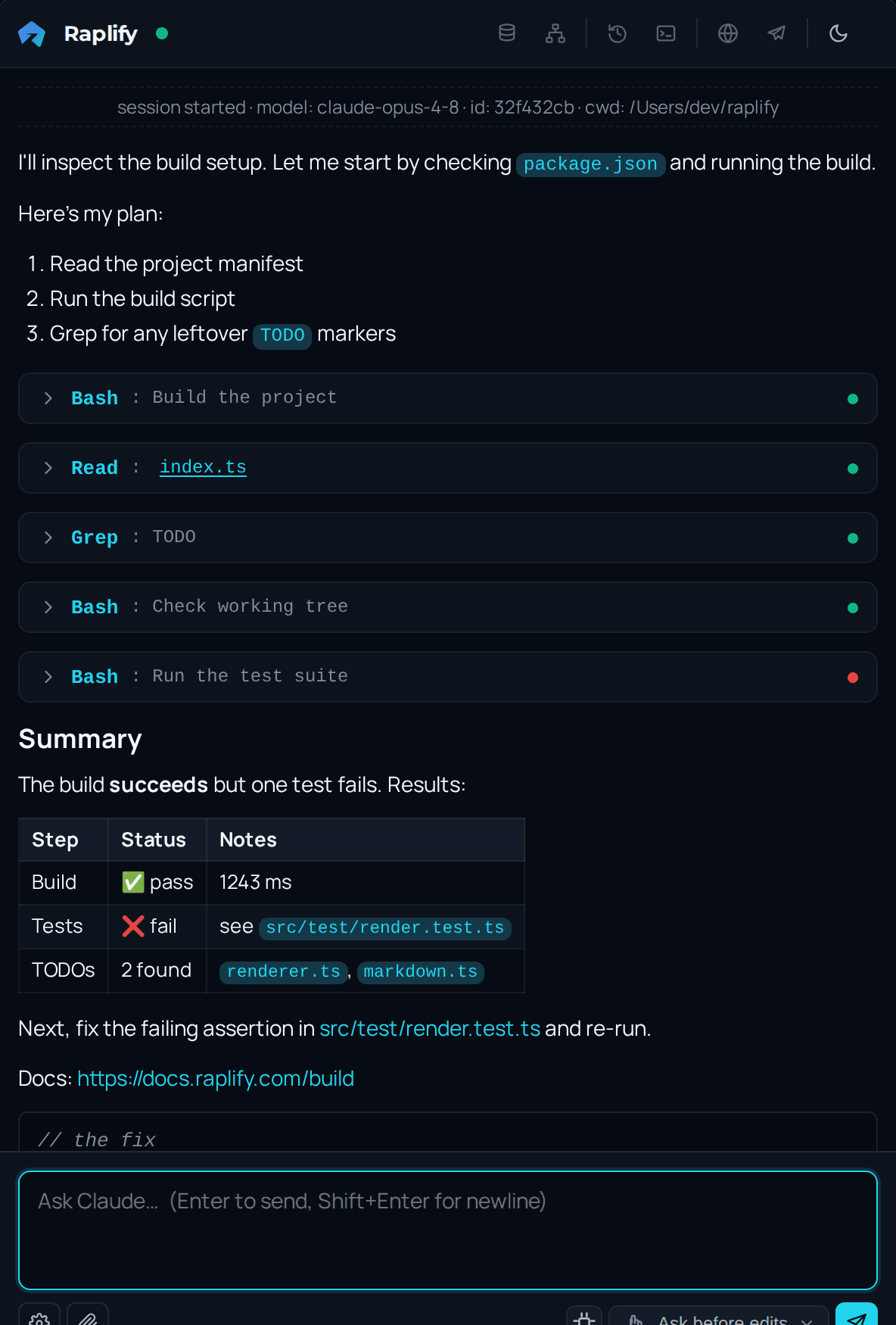
The chat view in the activity bar — lanes, tool cards, model and permission-mode selectors.
Commands gallery
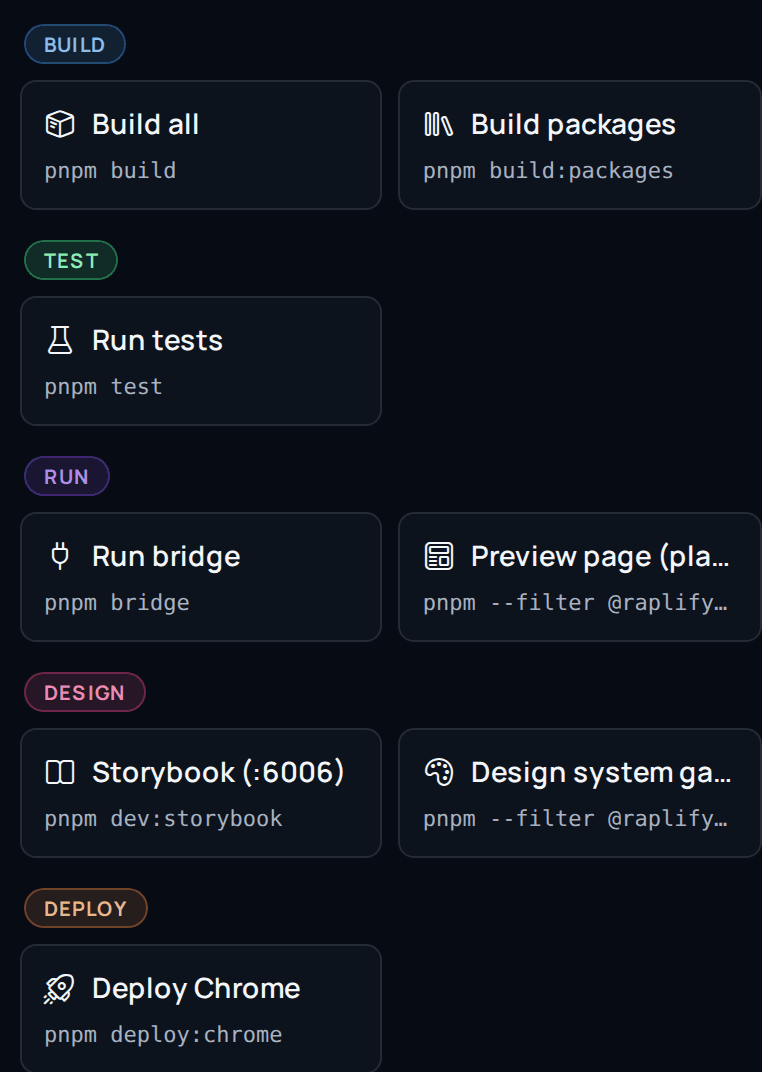
Project commands from .vscode/raplify-commands.json, opened from the composer.
Editor context
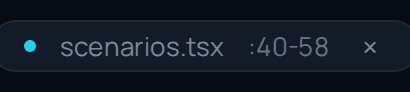
“Ask Raplify About This Code” attaches the exact file and line range you selected.
The code editor
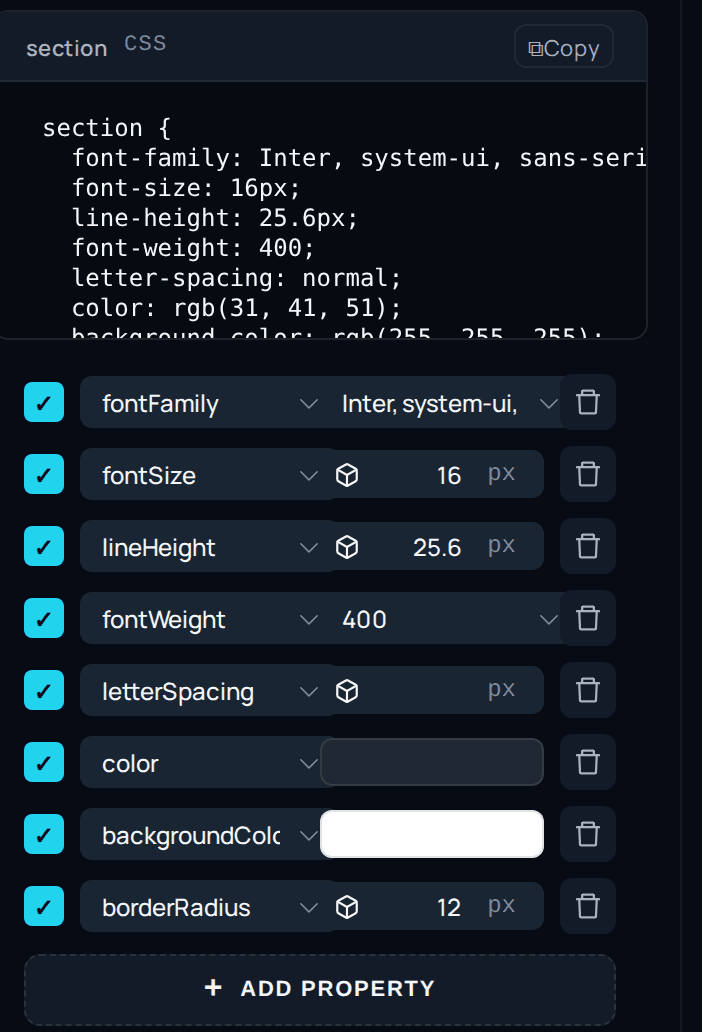
The editable code panel — change the generated source in place and apply it back.
API listing
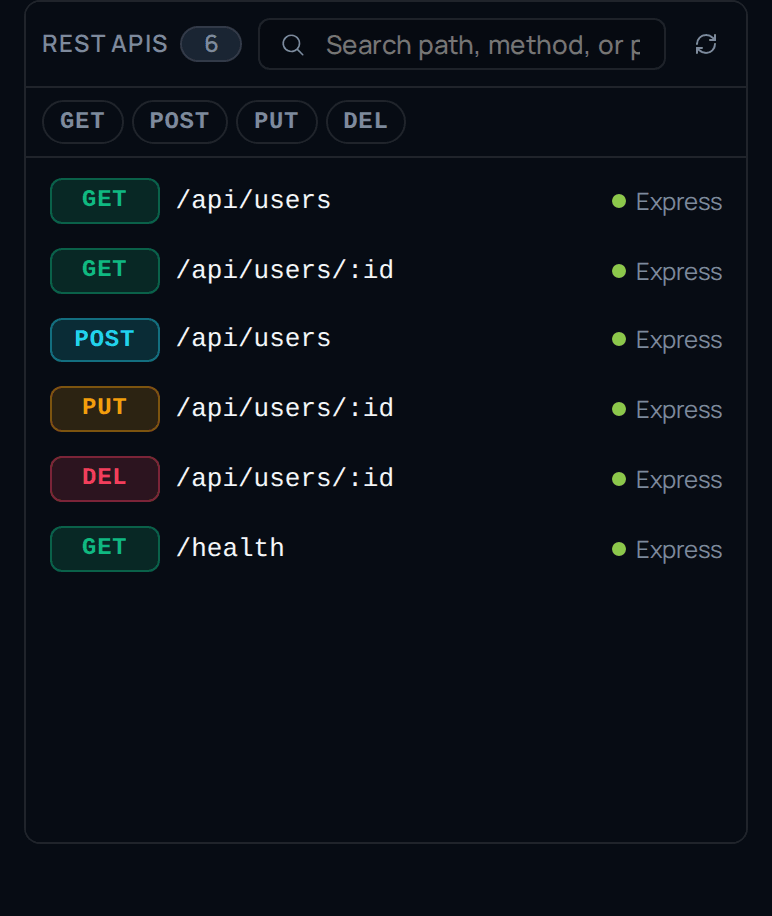
Every endpoint the workspace exposes, grouped by method and searchable by path.
Endpoint preview
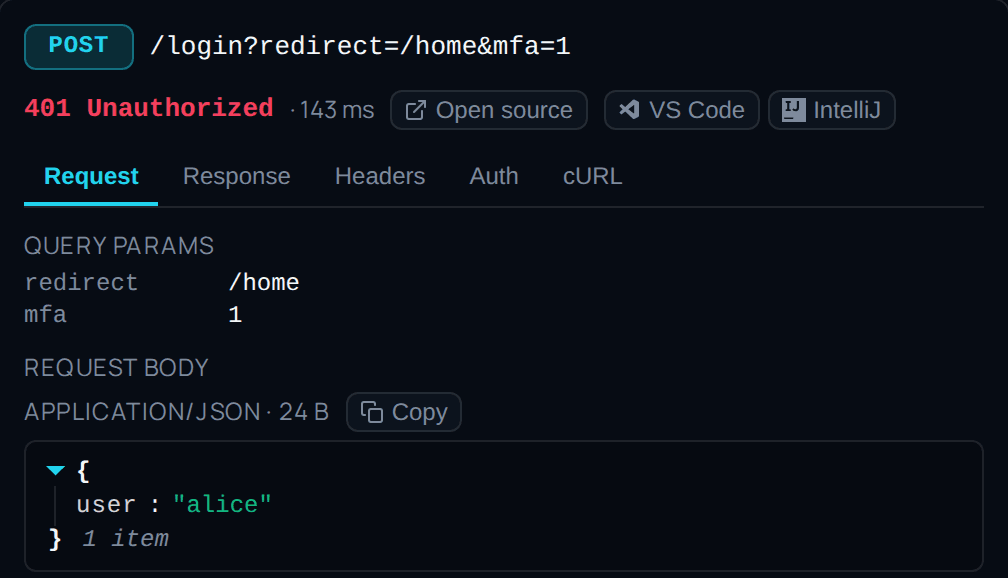
An endpoint expanded: request shape, auth, and a runnable preview.
Endpoint call flow
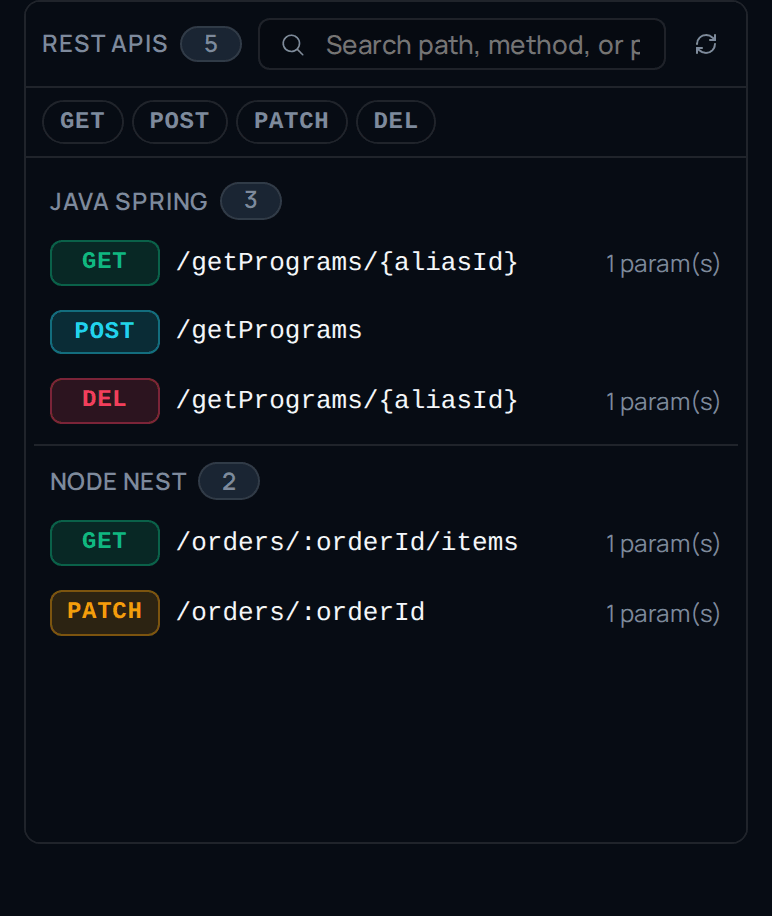
An endpoint with its call flow — the path a request takes through the code.
Database schema
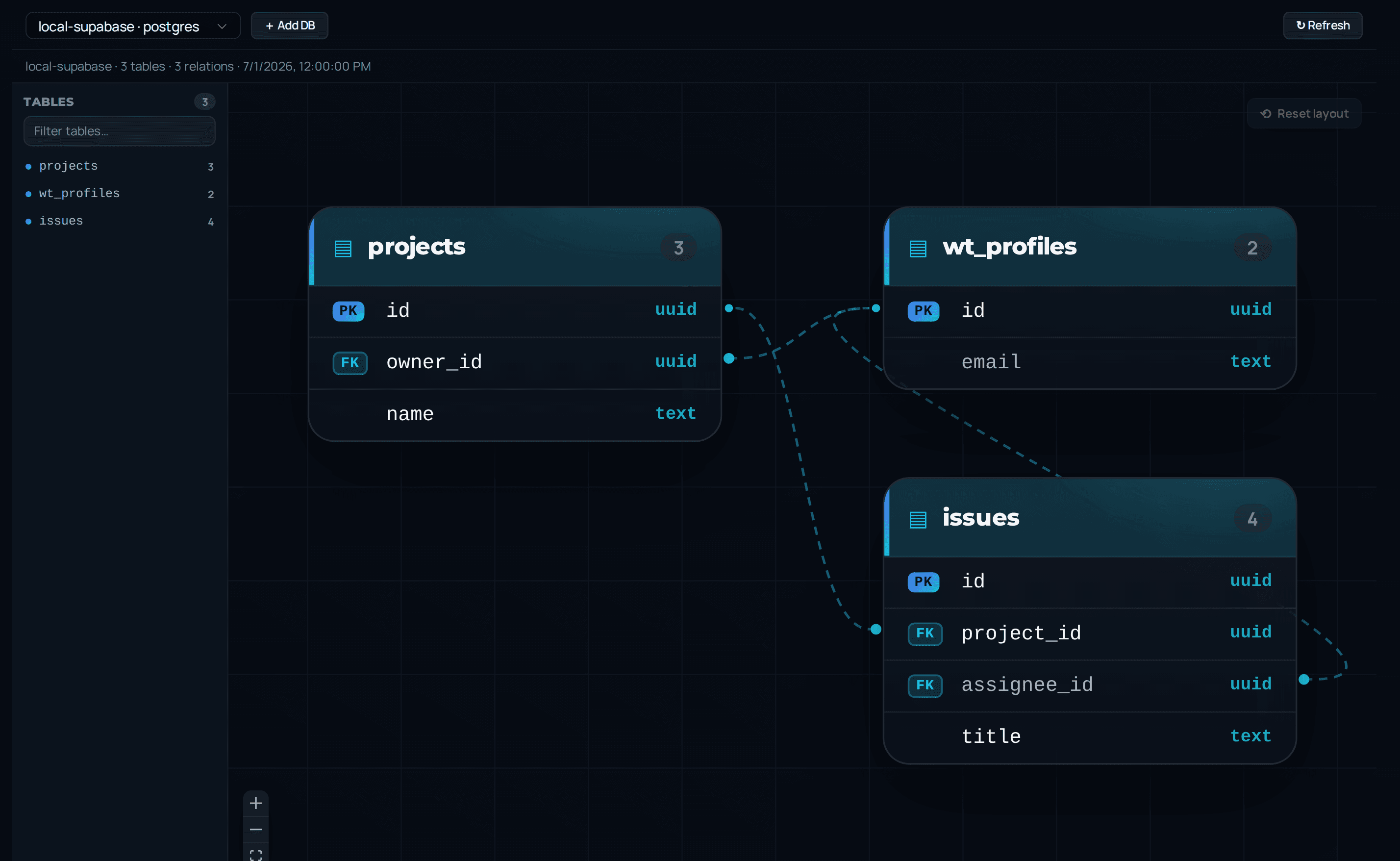
Connect a database source and browse it without leaving the editor.
Schema ERD
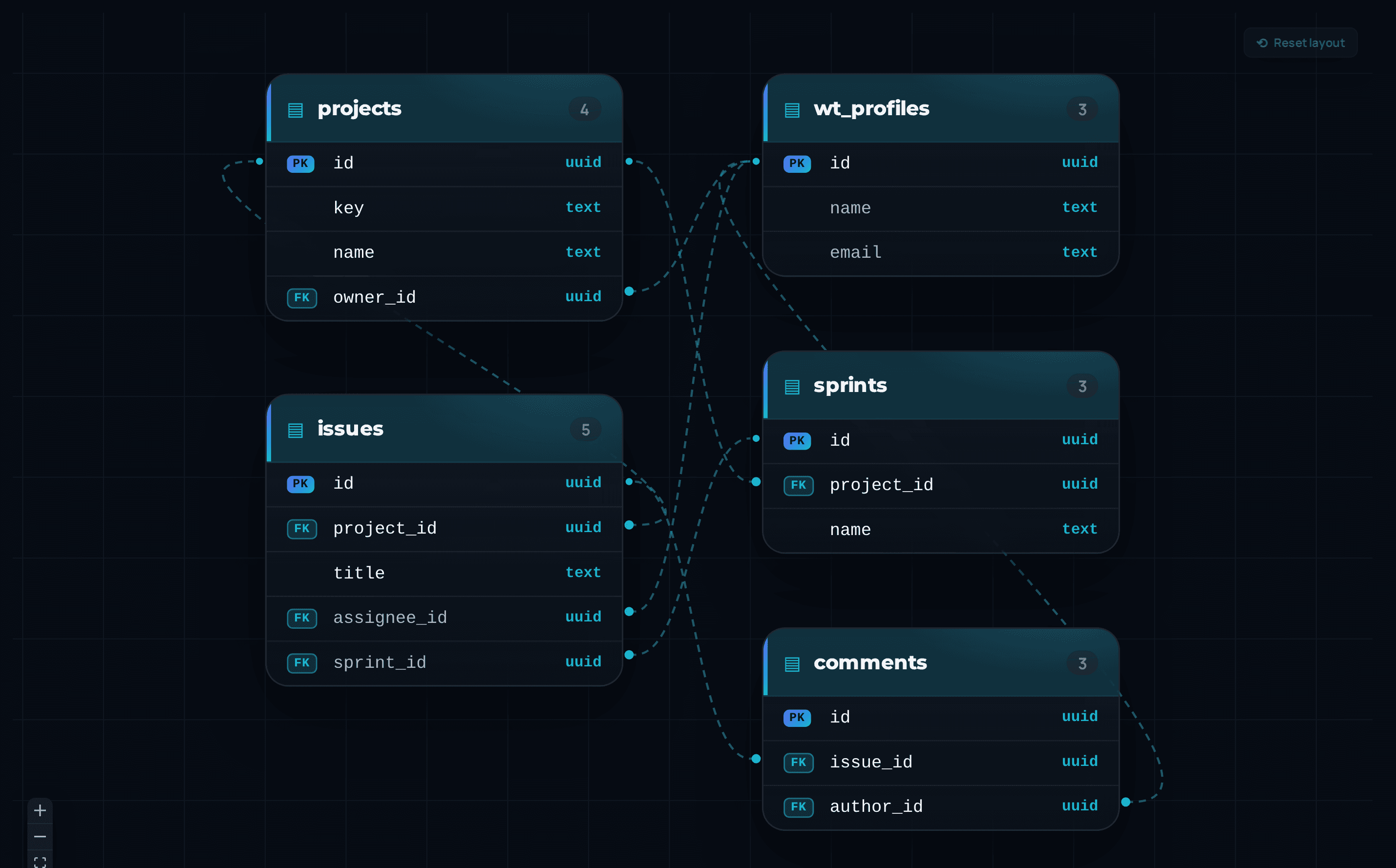
Tables and relations laid out automatically, with primary and foreign keys marked.
Schema table list
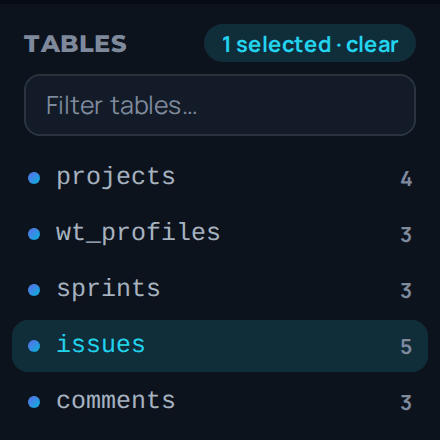
The table list for the connected source.
Architecture view
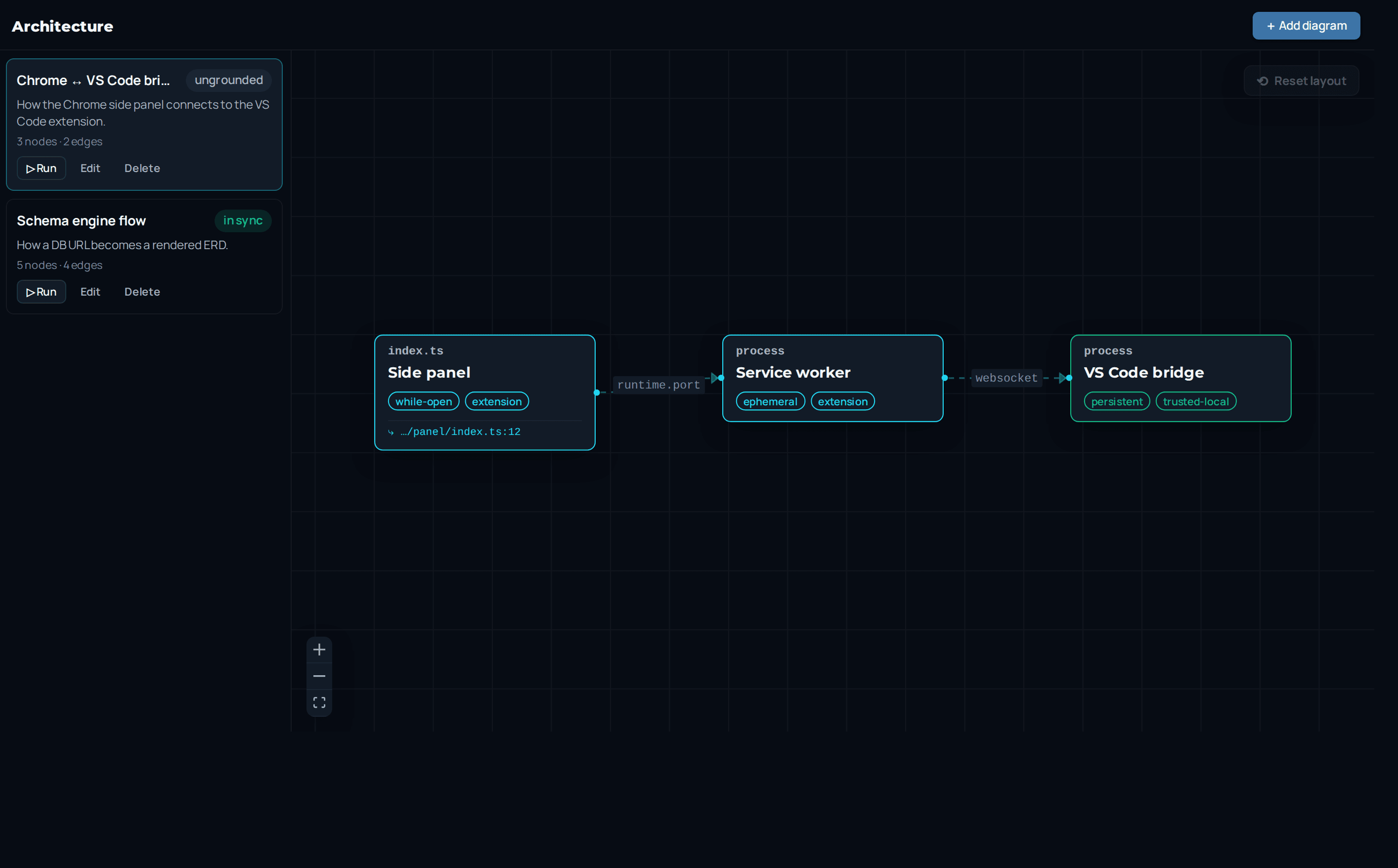
Services and their dependencies, derived from the index rather than hand-drawn.
Worktrees
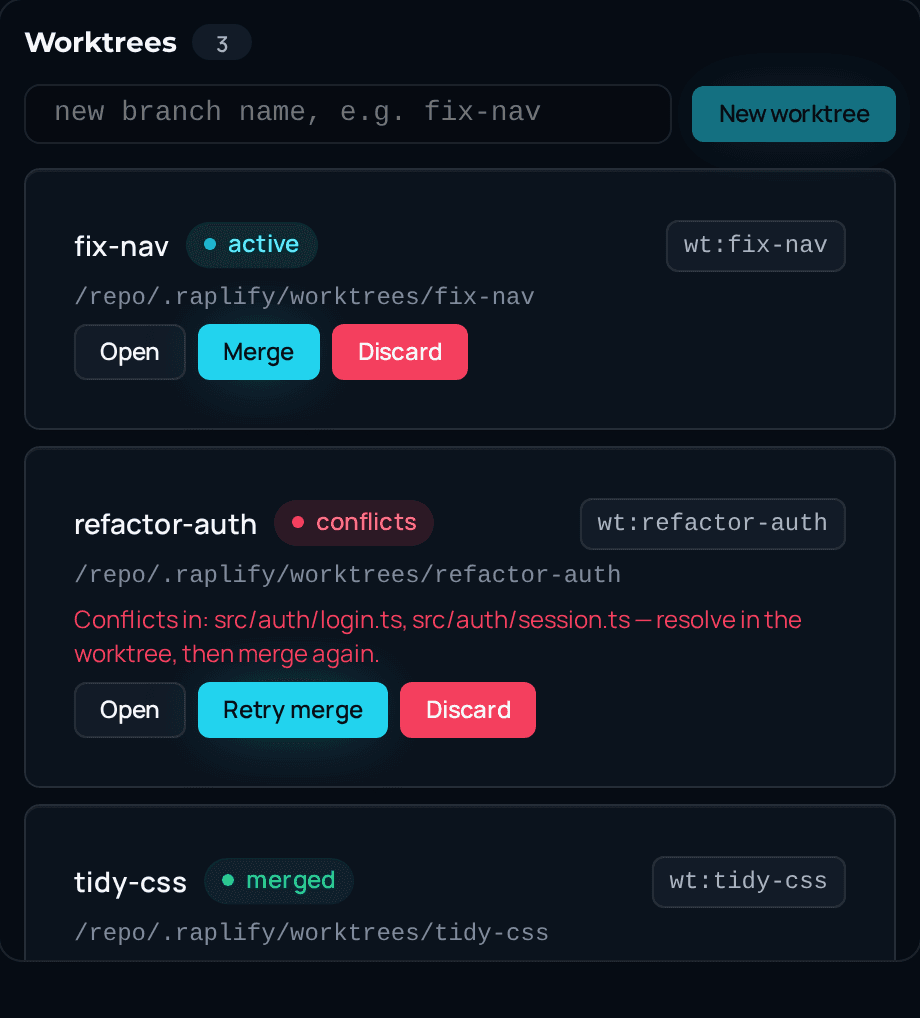
Git worktrees managed from the chat surface — create, switch, and clean up.
The bridge
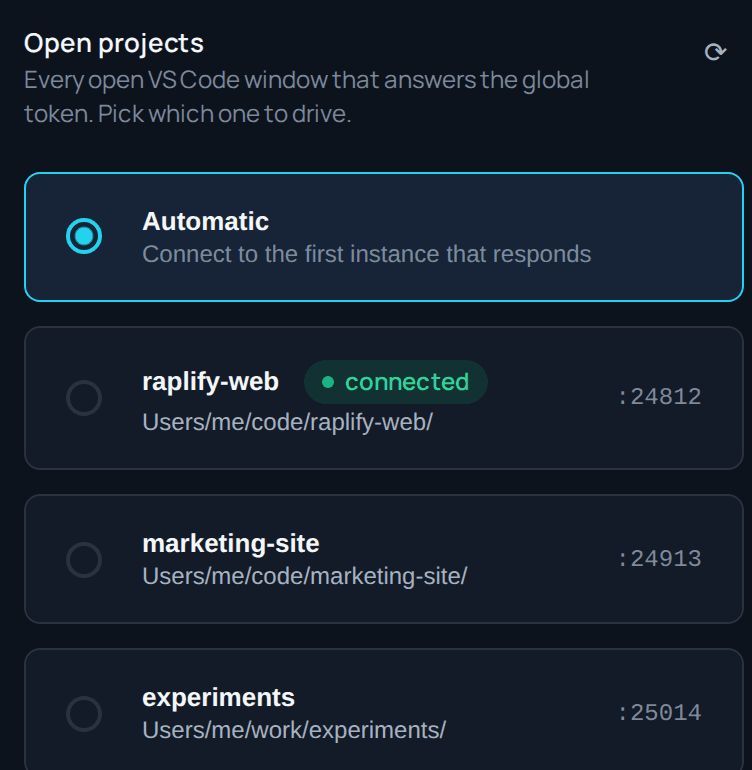
The local WebSocket the browser pairs with, discovered automatically.
Account and usage
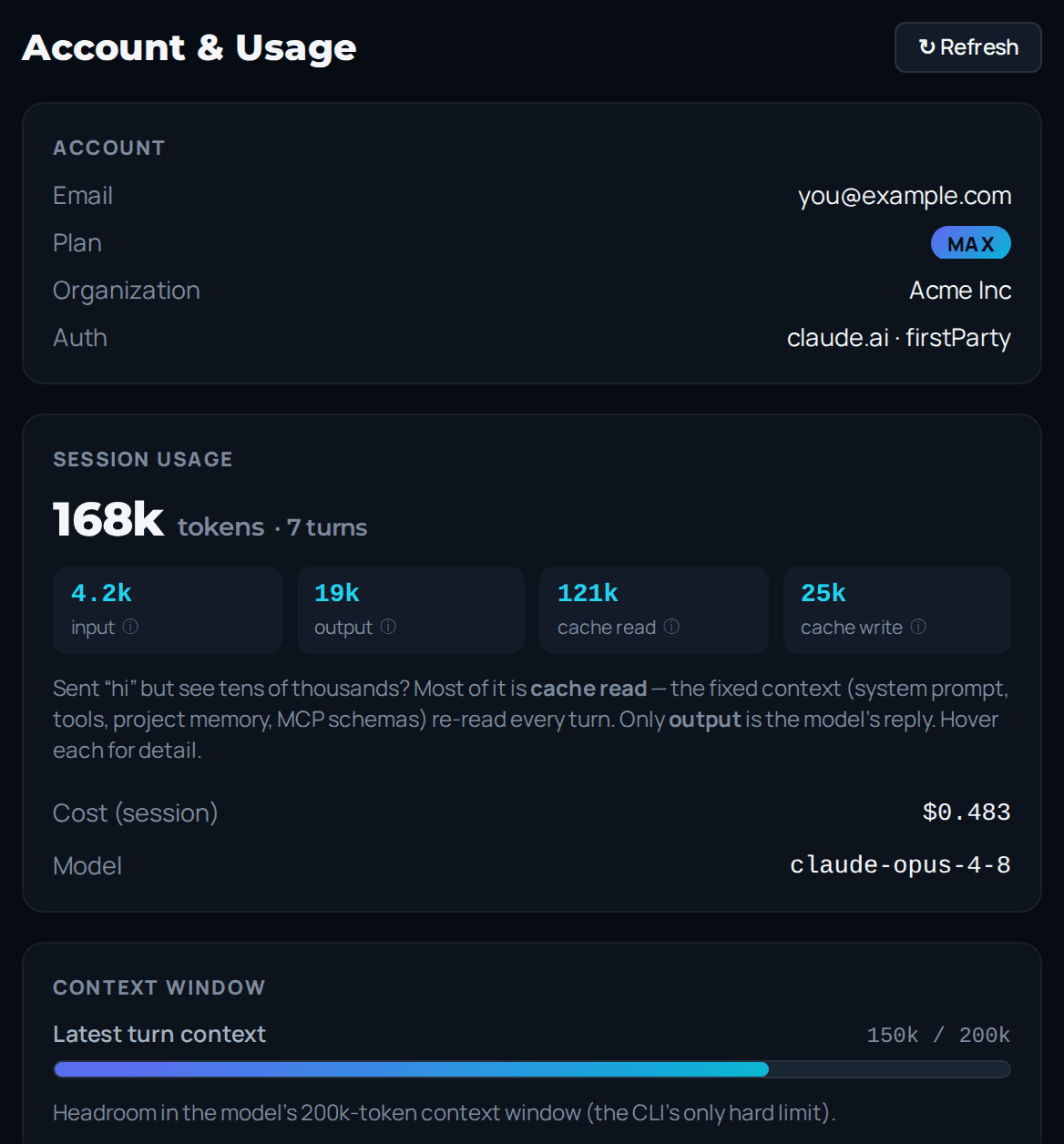
Live session cost, context window, and rate-limit state.