IntelliJ extension
A JetBrains plugin bringing the same Raplify AI chat into IntelliJ, WebStorm, PyCharm and the rest — auto-paired with the bridge.
A JetBrains-family plugin (Kotlin) that brings the same Raplify AI chat into IntelliJ, WebStorm, PyCharm and the rest. This first pass (v0.1.0) is the chat panel — the core of the VS Code extension — plus editor “Ask Raplify” actions. It auto-pairs with the bridge, so there's no token UI to manage.
Honest scope
The IntelliJ plugin ships the chat experience today. The Chrome visual inspector (Design / Colors / Fonts / Assets) is browser-only and is 🚧 roadmap for JetBrains — it is not in this plugin.
What ships today
Chat tool window
A right-side “Raplify Chat” tool window — a JCEF browser hosting the identical @raplify/ui
chat surface (lanes, queue, model + permission-mode, image attach, history, tool cards).
Byte-for-byte the same UI as VS Code.
Ask Raplify · code
Editor right-click → Ask Raplify About This Code (⌘K ⌘R / Ctrl K Ctrl R) injects the
selection (or current file) into the composer.
Ask Raplify · file
Ask Raplify About This File from the editor or Project view attaches the whole file.
Open-file from chat
File references jump to source in the IDE editor with the right line/range — via a
window.raplifyOpenFile bridge hook.
Auto-pairing bridge
The plugin spawns the Node raplify-bridge.cjs and injects the token into the webview — no
copy/paste/rotate. Same ~/.raplify-bridge/tokens.json the CLI + VS Code use.
Settings
How it works
Because the chat UI and the bridge server are shared packages, the IntelliJ plugin is intentionally thin — the same engine that powers VS Code and the Chrome side panel.
Requirements & install
- An IntelliJ-family IDE 2023.2+ (bundled JCEF).
- Node.js and the Claude CLI on your machine.
- Install: Settings ▸ Plugins ▸ ⚙ ▸ Install Plugin from Disk… → pick
raplify-intellij-0.1.0.zip. Then open the Raplify Chat tool window on the right.
Not in this plugin (yet)
| Capability | Status |
|---|---|
| Visual inspector (Design / Colors / Fonts / Assets, live style editing) | 🚧 Roadmap — Chrome-only today |
| Project commands gallery | 🚧 Roadmap — VS Code-only today |
| Bridge token / pairing panel | Not needed — IntelliJ auto-pairs |
Screenshots
API listing
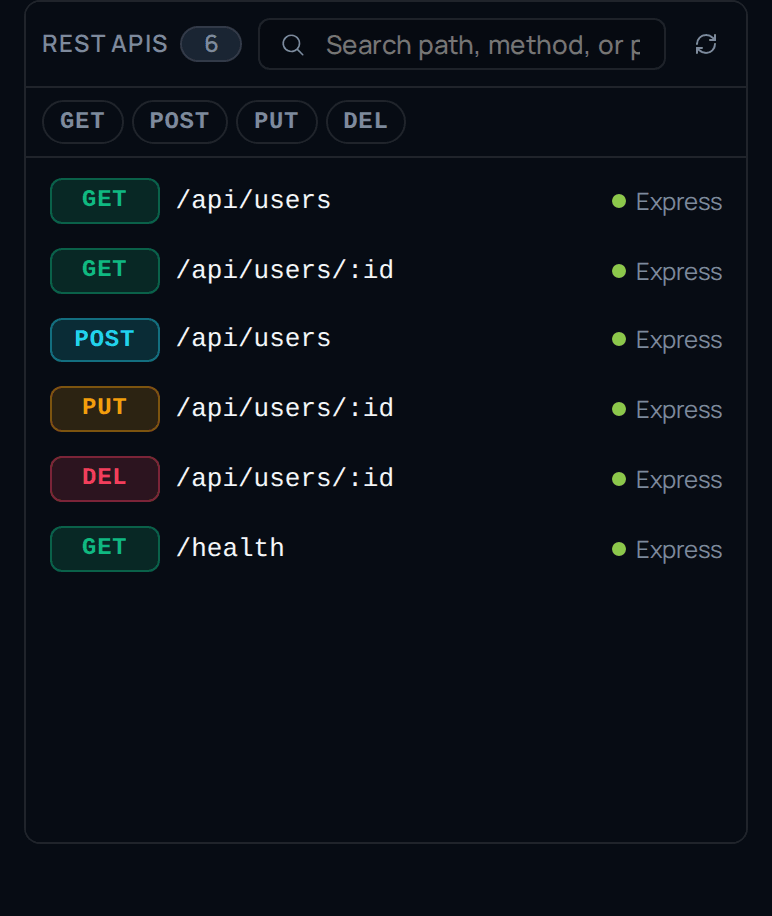
Every REST endpoint discovered in your source — click a route to jump to its handler.
Java call flow
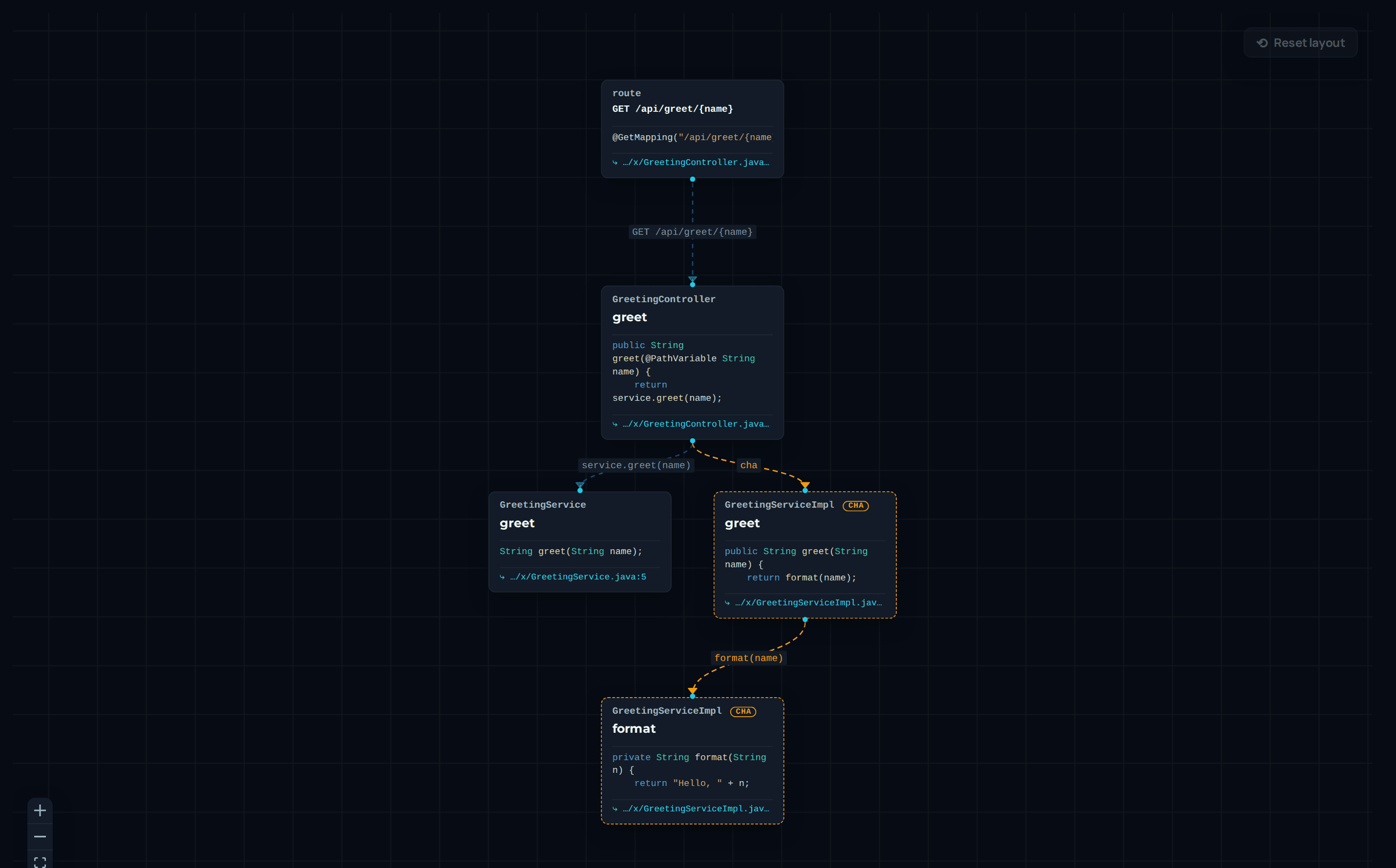
The path a request takes through your codebase, resolved from a real index of the project.
The chat surface
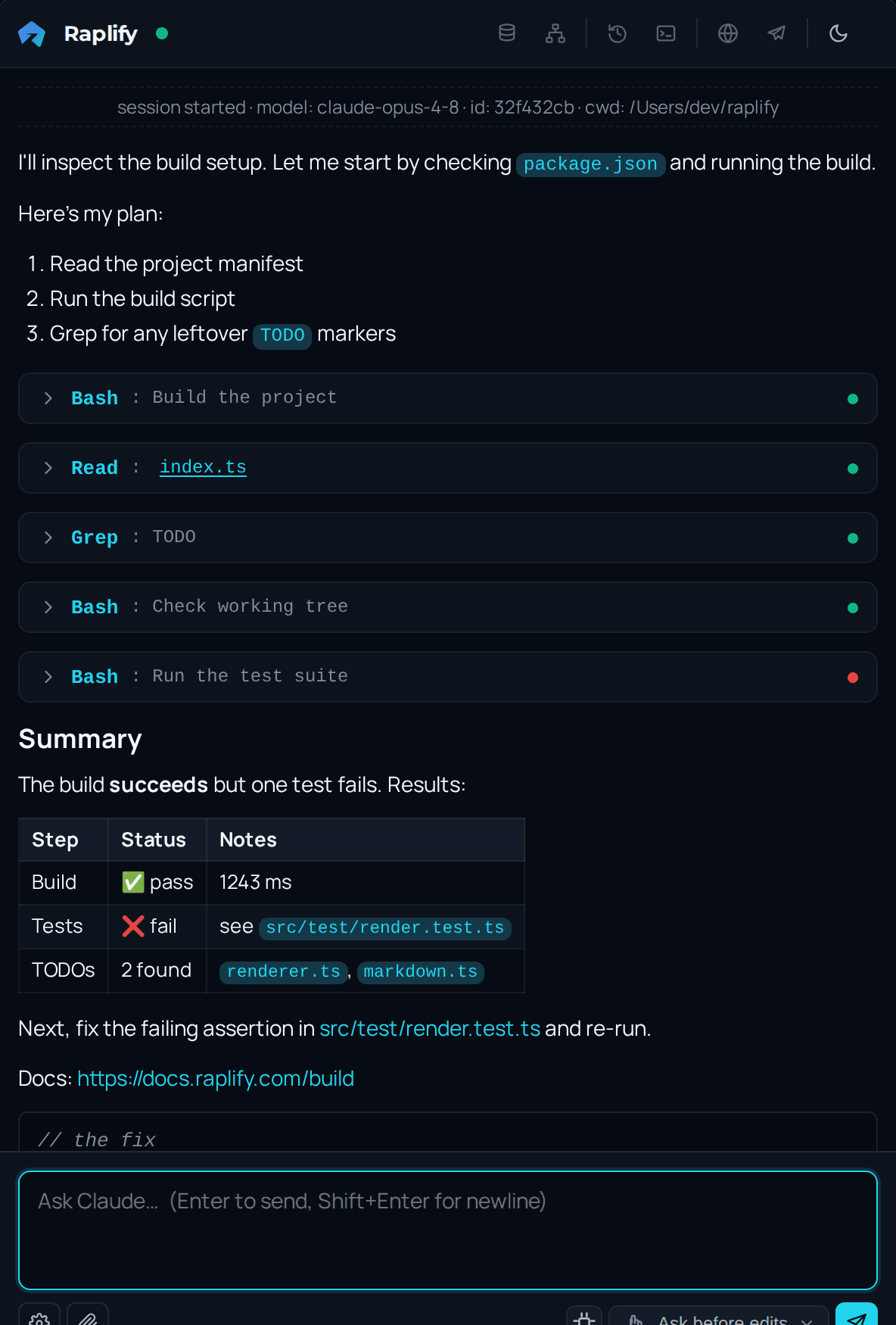
An AI agent in a side panel, with your editor selection as context.
Database schema
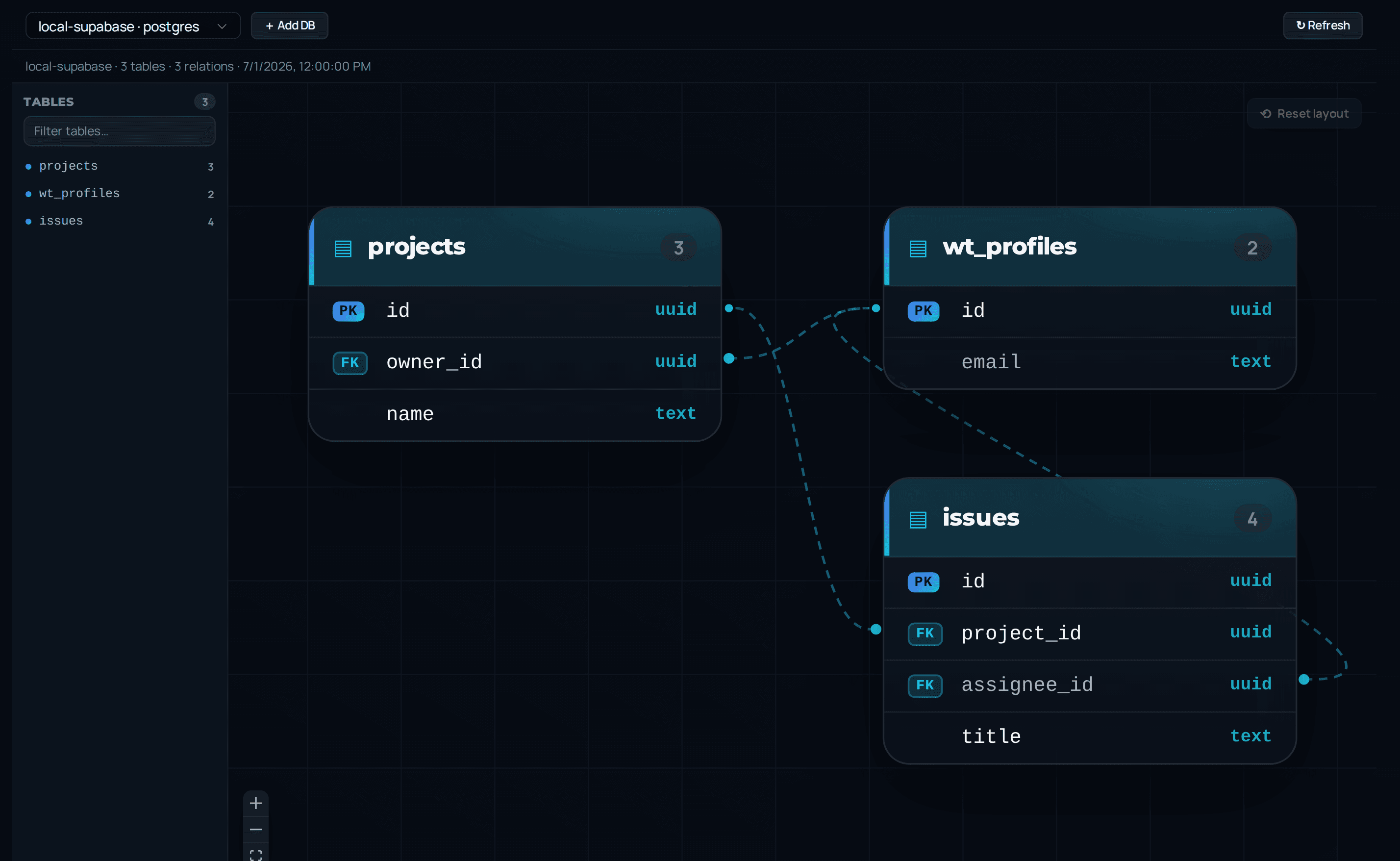
Connect a database source and browse tables, columns and keys beside your code.